
Photo by Fairfax County Chamber of Commerce via flickr (BY)
Small businesses navigating the evolving landscape of digital marketing often find themselves grappling with data. The shift from Universal Analytics to Google Analytics 4 (GA4) has brought a fundamental change in how user interactions are measured, moving from a session-based model to an event-driven paradigm. For SMBs, understanding and strategically implementing GA4 events is not just about adapting to a new tool; it's about unlocking deeper insights into customer behavior, optimizing marketing spend, and ultimately, fostering growth. This article will delve into the specific GA4 events that small businesses should prioritize tracking, offering practical guidance to transform raw data into actionable intelligence.
Key Takeaways for SMBs Embracing GA4 Events
- Focus on Business Objectives: Every event tracked in GA4 should directly align with a specific business goal, whether it's lead generation, online sales, or customer engagement.
- Leverage Enhanced Measurement: GA4’s automatic "Enhanced Measurement" captures many crucial interactions, reducing the initial setup burden for SMBs.
- Prioritize Custom Events for Key Conversions: While automatic events are useful, defining custom events for unique conversion points (e.g., "quote_request_submitted" or "download_brochure") offers unparalleled clarity.
- Integrate with Google Ads: Connecting GA4 to Google Ads allows for more intelligent bidding strategies and retargeting based on granular user behavior, maximizing the return on advertising investment (Google).
- Regularly Review and Refine: The digital landscape and business goals evolve, so event tracking should be a dynamic process, regularly reviewed and adjusted.
The Event-Driven Paradigm: A New Lens for Small Business Insights
Universal Analytics (UA) primarily focused on pageviews and sessions. While valuable, this model often fragmented the user journey across different interactions. GA4, on the other hand, treats every user interaction—from a page view to a button click to a video play—as an "event." This unified approach provides a more holistic view of the customer lifecycle, enabling small businesses to understand how users engage with their website or app, not just that they visited.
For a small business, this shift is particularly powerful. Instead of merely knowing how many people visited a product page, GA4 can tell you how many scrolled to the bottom, clicked on a specific product image, or added an item to a cart but didn't purchase. This level of detail is critical for identifying friction points, optimizing user experience, and improving conversion rates. The Small Business Administration (SBA) emphasizes the importance of understanding customer behavior for effective marketing strategies, and GA4's event-centric model provides the data to do just that (SBA).
Practical Event Tracking for SMBs: Beyond the Basics
GA4 categorizes events into four main types:
- Automatically collected events: These are collected by default when you set up GA4 (e.g.,
first_visit,session_start,page_view). - Enhanced measurement events: These are also collected automatically if enabled, offering more specific interactions like
scroll,click(outbound clicks),view_search_results,video_start,file_download. - Recommended events: Google suggests these for common use cases across different industries (e.g.,
generate_lead,purchase,add_to_cart). - Custom events: These are events you define yourself to track specific interactions unique to your business. This is where SMBs can truly differentiate their data strategy.
While automatically collected and enhanced measurement events provide a solid foundation, small businesses gain significant advantages by strategically implementing recommended and custom events.
Core Events Every Small Business Should Track:
Let's break down the most impactful events for SMBs, categorized by common business objectives:
1. Lead Generation & Engagement:
For service-based businesses, consultants, or B2B companies, generating leads is paramount.
generate_lead(Recommended Event): This event should fire whenever a user successfully submits a contact form, requests a quote, or signs up for a newsletter. This is arguably the most critical conversion event for many SMBs.- Example: A local plumbing service could configure
generate_leadto fire when a potential customer fills out their "Request a Free Estimate" form.
- Example: A local plumbing service could configure
form_submit(Custom Event): Whilegenerate_leadis broad,form_submitcan be used for any form submission on your site, allowing for more granular analysis of different form types (e.g., "newsletter signup," "contact us," "job application").- Implementation Note: Often requires Google Tag Manager (GTM) to detect specific form submissions, especially if they don't redirect to a thank-you page.
click(Enhanced Measurement, specifically for outbound links): Tracking outbound clicks helps understand if users are navigating to partners, social media profiles, or directory listings.- Example: A restaurant might track clicks to their Yelp profile or a third-party delivery service.
phone_call_clicked(Custom Event): For businesses reliant on phone inquiries, tracking clicks on phone numbers (e.g.,tel:links) is vital.- Implementation Note: Requires GTM to capture clicks on specific elements.
email_clicked(Custom Event): Similar to phone calls, tracking clicks on email addresses (e.g.,mailto:links) provides insight into direct communication attempts.
2. E-commerce & Online Sales:
For businesses selling products or services directly online, GA4 offers a robust e-commerce tracking model.
view_item_list(Recommended Event): When a user views a list of products (e.g., a category page or search results).view_item(Recommended Event): When a user views the details of a specific product.add_to_cart(Recommended Event): When a user adds an item to their shopping cart.begin_checkout(Recommended Event): When a user starts the checkout process.add_shipping_info/add_payment_info(Recommended Events): Tracking progress through the checkout funnel.purchase(Recommended Event): The ultimate conversion event when a transaction is completed. This event should include crucial parameters liketransaction_id,value,currency, anditems.- Example: An online boutique selling handmade jewelry would track the entire journey from
view_item_liston their "Necklaces" page to the finalpurchasewith the total order value.
- Example: An online boutique selling handmade jewelry would track the entire journey from
3. Content Consumption & User Experience:
Understanding how users interact with your content can inform content strategy and website design.
scroll(Enhanced Measurement): Tracks when a user scrolls 90% down a page, indicating deeper engagement with content.video_start,video_progress,video_complete(Enhanced Measurement): If you use videos (e.g., product demos, testimonials), these events are invaluable for understanding viewer engagement.view_search_results(Enhanced Measurement): Tracks whenever a user performs a search on your website (e.g., internal site search). Parametersearch_termis particularly useful here.- Example: A local bookstore could analyze
search_termto identify popular book genres or authors customers are looking for but might not readily find.
- Example: A local bookstore could analyze
file_download(Enhanced Measurement): If your business offers downloadable resources (e.g., brochures, whitepapers, menus), tracking these downloads is a direct measure of interest.- Example: A consulting firm tracks
file_downloadfor their "Small Business Marketing Playbook" PDF.
- Example: A consulting firm tracks
4. Local Business Specific Events:
For brick-and-mortar businesses, integrating digital interactions with physical actions is key, especially given the importance of local SEO (Semrush).
get_directions_clicked(Custom Event): Tracking clicks on "Get Directions" links from your website, indicating intent to visit your physical location. This is particularly relevant for businesses with a Google Business Profile (Google Business Profile Help).view_location_page(Custom Event): If you have a dedicated "Our Location" or "Contact Us" page, tracking views of this page can signal high intent.book_appointment_clicked(Custom Event): For services that require appointments (e.g., salons, clinics, auto repair), tracking clicks on booking widgets or links.
A Structured Approach to Event Planning:
Here’s a simplified table to help an SMB plan their GA4 events:
| Business Objective | Example Interaction | GA4 Event Name (Recommended/Custom) | Key Parameters to Track | Why it's Important for SMBs |
|---|---|---|---|---|
| Lead Generation | Contact form submission | generate_lead |
form_name, form_id |
Measures direct interest in services/products. |
| Phone number click | phone_call_clicked (Custom) |
phone_number |
Vital for service-based businesses relying on calls. | |
| Newsletter signup | newsletter_signup (Custom) |
signup_source |
Builds email list for future marketing (SBA). | |
| E-commerce | Product added to cart | add_to_cart |
items, value, currency |
Identifies product interest before purchase. |
| Purchase completed | purchase |
transaction_id, value, currency, items |
Ultimate revenue metric, crucial for ROI calculation. | |
| Checkout initiated | begin_checkout |
items, value |
Pinpoints where customers start the buying process. | |
| Content Engagement | Article scrolled 90% | scroll (Enhanced Measurement) |
page_path |
Indicates deep interest in content. |
| Internal site search | view_search_results (Enhanced Measurement) |
search_term |
Reveals user intent and content gaps. | |
| Video watched to end | video_complete (Enhanced Measurement) |
video_title, video_url |
Measures effectiveness of video content. | |
| Local Business | "Get Directions" click | get_directions_clicked (Custom) |
destination_address |
Strong indicator of intent to visit physical location. |
| Appointment booking | book_appointment (Custom) |
service_type, date |
Direct measure for appointment-based services. |
Common Mistakes and Risks to Avoid
While the power of GA4 events is undeniable, SMBs should be wary of common pitfalls:
- Tracking Too Much, Analyzing Too Little: Over-tracking can lead to data overload without clear actionable insights. Focus on events directly tied to business goals. Prioritize quality over quantity.
- Incorrect Implementation: Poorly implemented events can lead to inaccurate data, rendering your analysis useless. Double-check your GTM tags and GA4 configuration. Utilize GA4's DebugView to test events in real-time.
- Ignoring Event Parameters: Events become truly powerful when accompanied by relevant parameters. A
purchaseevent withoutvalueoritemsis far less informative. - Lack of Naming Convention: Inconsistent event naming (e.g.,
contact_form_submiton one page,form_submissionon another) creates analytical chaos. Establish a clear, consistent naming convention from the outset. - Forgetting Conversions: After setting up events, remember to mark the most important ones as "Conversions" in GA4. This allows them to appear in your Conversions report and be used for bidding in Google Ads (Google).
- Not Connecting with Google Ads: One of GA4's biggest strengths is its native integration with Google Ads. Failing to link these accounts means missing out on powerful audience targeting and conversion optimization capabilities.
What Should Readers Do Next?
- Audit Current Goals: Revisit your small business's core marketing and sales objectives. What actions do you want users to take on your website?
- Plan Your Events: Using the table above as a starting point, create a comprehensive event tracking plan. Document each event, its purpose, and any parameters.
- Implement Gradually: Start with the most critical conversion events first. Use Google Tag Manager (GTM) for flexibility and easier management of custom events without directly editing website code.
- Test Thoroughly: Utilize GA4's DebugView and real-time reports to ensure events are firing correctly and collecting the right data.
- Define Conversions: In GA4, navigate to "Admin" -> "Events" and toggle on "Mark as conversion" for your most important events.
- Connect to Google Ads: Link your GA4 property to your Google Ads account to leverage event data for improved campaign performance.
- Analyze and Optimize: Regularly review your GA4 reports, paying close attention to your conversion events. Use these insights to refine your website, marketing campaigns, and overall business strategy.
By strategically tracking GA4 events, small businesses can move beyond basic website traffic metrics and gain a profound understanding of their customers' journeys. This data-driven approach empowers them to make informed decisions, optimize their digital presence, and foster sustainable growth in a competitive marketplace.
Frequently Asked Questions
Q1: What exactly is an "event" in GA4 compared to Universal Analytics?
A1: In Universal Analytics, the primary unit of measurement was a "session" and "pageview," with events being a separate, often custom, hit type. In GA4, everything is an "event." A pageview is an event (page_view), a scroll is an event (scroll), a click is an event (click). This unified model provides a more flexible and holistic view of user interactions, allowing for richer analysis of the entire customer journey rather than fragmented actions.
Q2: Do I need a developer to set up GA4 events for my small business?
A2: Not necessarily for all events. GA4 automatically collects some basic events (first_visit, session_start) and offers "Enhanced Measurement" which automatically tracks others like scroll, outbound_click, and file_download with simple toggles in the GA4 interface. For more complex custom events or certain recommended events, especially those involving specific form submissions or dynamic content, using Google Tag Manager (GTM) is highly recommended. GTM allows you to define and deploy tags (which fire GA4 events) without directly modifying your website's code, making it more accessible for business owners or marketers without extensive development experience.
Q3: How do I know which events are most important for my specific business?
A3: The most important events are those that directly correlate with your business objectives. If you're an e-commerce store, purchase and add_to_cart are critical. If you're a service provider, generate_lead (e.g., contact form submission, quote request) and phone_call_clicked are paramount. Start by defining what a "successful" user interaction looks like on your website, then identify the events that represent those successes. Also, consider points where users might drop off, as tracking those can reveal friction points.
Q4: Can GA4 events help me improve my Google Ads performance?
A4: Absolutely. One of the most significant advantages of GA4 is its native integration with Google Ads. By connecting your GA4 property to Google Ads and marking key events as "conversions" in GA4, you can import these conversions into Google Ads. This allows you to:
* Optimize your campaigns for specific user actions (e.g., bidding more aggressively for users likely to purchase or generate_lead).
* Build more precise audience segments for remarketing based on granular GA4 event data (e.g., target users who add_to_cart but didn't purchase).
* Gain a clearer understanding of the ROI of your ad spend by seeing how ad clicks lead to various on-site engagements and conversions (Google).
Q5: What’s the difference between "recommended events" and "custom events"?
A5: "Recommended events" are a set of predefined event names and parameters suggested by Google for common user interactions across various industries (e.g., purchase, add_to_cart, generate_lead). Using recommended events ensures your data is structured in a way that GA4's reporting and features can easily interpret, often enabling richer reports. "Custom events," on the other hand, are entirely defined by you. You choose the event name and any associated parameters to track interactions unique to your business that aren't covered by automatic, enhanced, or recommended events. While custom events offer maximum flexibility, it's generally best practice to use a recommended event if one exists for your interaction, as it leverages GA4's built-in intelligence.
Q6: How often should I review my GA4 event data?
A6: The frequency of review depends on your business's pace and campaign activity. For active marketing campaigns or significant website changes, daily or weekly checks of key conversion events are advisable. For general trends and website optimization, monthly or quarterly reviews can be sufficient. The goal is to establish a regular cadence that allows you to identify trends, spot issues, and make timely, data-driven adjustments to your website and marketing strategies.
References
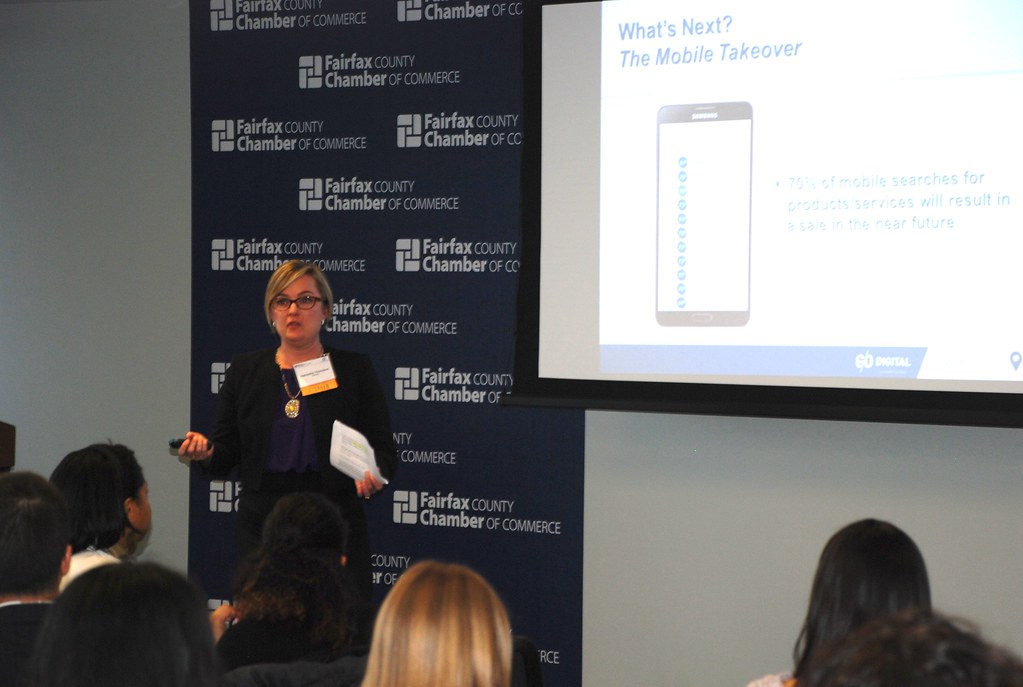
Photo by Fairfax County Chamber of Commerce via flickr (BY)
Referenced Sources
- SBA Marketing Guide — SBA
- Google Ads Learning Center — Google
- Semrush Local SEO Guide — Semrush
- Google Business Profile Help — Google


